Free · open-source · self-hosted

Tools for the room
you already built.

Two small apps for keeping reptiles, amphibians, and inverts — one watches the climate, one tracks the care — plus a combined display for the whole room. They run on a Raspberry Pi in your house, not on someone else's server.

No subscription · no vendor account · no cloud required · your data exports whenever you want

Built by a keeper, for an actual animal room.

These started as tools for one household's collection — a wall display that shows whether every enclosure is where it should be, and a shared care list so nothing gets fed twice or missed entirely. They're free because husbandry software shouldn't be a subscription.

Two focused tools

Each one does a single job well.

Install only what you need. They work on their own, and they work better together.

🐍

Shed

Good care shows.

A shared husbandry tracker for the whole household. Today's care list on everyone's phone, and a record you can actually look back on.

  • Daily, weekly, and custom care schedules
  • Keeper accounts, with credit for who did what
  • Weights, feeding, photos, notes, and equipment
  • Lighting plans imported from Light My Reptile
  • Feeder inventory and meal forecasting
Explore Shed →
☀️

Bask

Know the room is okay, at a glance.

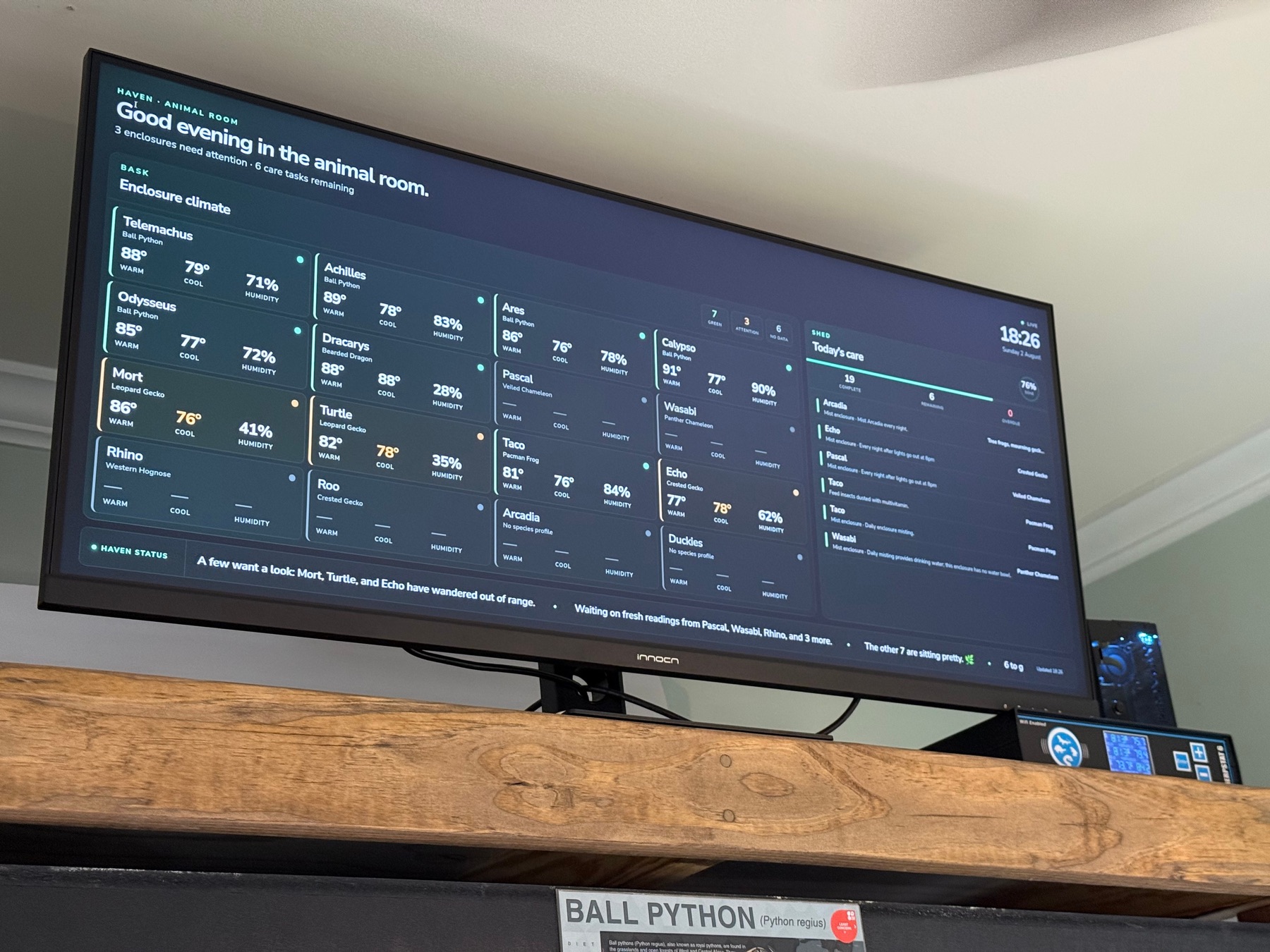
Turns cheap Bluetooth sensors into a calm, room-scale climate dashboard you can read from across the room.

  • Live warm side, cool side, and humidity
  • Per-species day and night targets
  • Clear alerts with battery and signal status
  • Optional phone notifications
Explore Bask →
🌿

Haven

The whole room, one view.

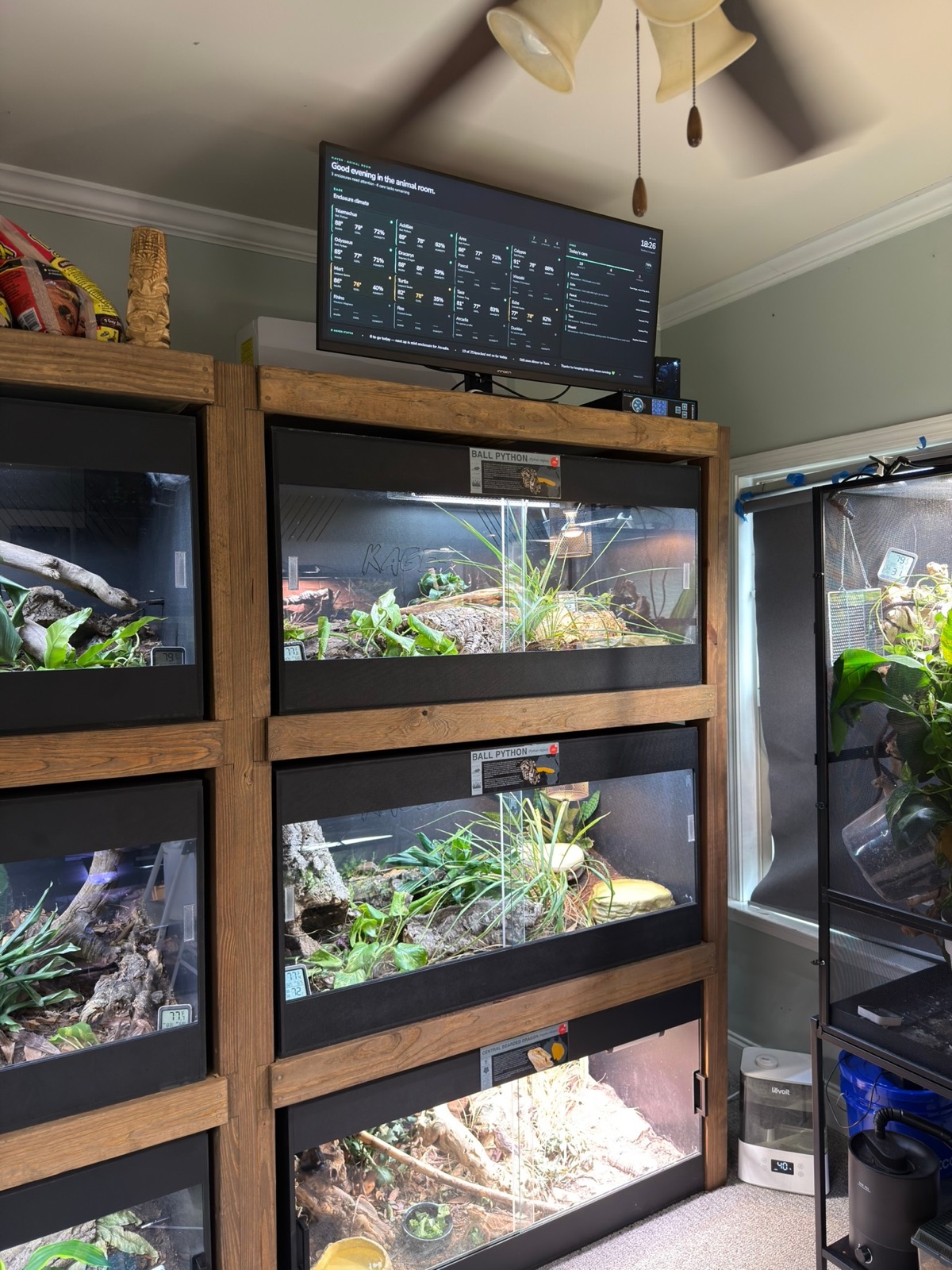
Not a third app — the combined installer and the read-only room display that Bask and Shed produce together.

  • Enclosure climate beside today's unfinished care
  • One command installs both and connects them
  • Built for a wall monitor in the room
  • A deliberately limited bridge: no identities, no write access
Explore Haven →
The rules these follow

Your animals, your server, your data.

🏠

Runs in your house

Everything lives on a Raspberry Pi or other home server. No cloud account is required to use any of it.

📦

Your data leaves easily

Full JSON and CSV exports at any time, plus dated local backups. Nothing is locked in.

🧾

History you can correct

Fix a mistaken entry without erasing the record. Corrections stay visible and auditable.

🆓

Free, and staying free

MIT licensed and open source. Tips are welcome, but nothing is behind them.

One installer

One command sets up whatever you pick.

Run this on 64-bit Raspberry Pi OS (Lite recommended), Debian, or Ubuntu. It prepares Docker, installs your selection, and keeps your data safe across updates.

Install

The installer asks what you want. Pick one now and add the others later — your existing records are preserved.

curl -fsSL https://animalroom.app/install.sh | bash

Prefer to read it first? View the script — it's plain bash, and worth skimming before you pipe anything to a shell.

It finishes by printing the address to open — a numeric one like http://192.168.1.50:3000. Bookmark it. That address comes from your router, so reserve it for the machine in your router's settings if you want it to stay the same.

☀️ BaskClimate monitoring
🐍 ShedHusbandry records
🌿 HavenBask + Shed + room display
Good to know

Common questions

What hardware do I need?

A Raspberry Pi 5 with 4 GB is the recommendation, and 2 GB is the supported minimum. Any 64-bit Raspberry Pi OS, Debian or Ubuntu machine works. Bask additionally needs compatible Bluetooth temperature and humidity sensors. Any browser on your home network can open the apps — phones included.

The operating system matters more than the board. Use Raspberry Pi OS Lite (64-bit): a desktop session idles near 800 MB where Lite uses about 280 MB. A 1 GB board running a desktop has roughly 200 MB free — not enough for Shed to start — while the same board on Lite has room to spare. You never need a screen attached; everything is opened from a phone or laptop.

Nothing is compiled during installation. Both apps ship as prebuilt multi-architecture images, so your board only has to run them. Measured moments after a fresh start: Bask 106 MB plus 55 MB for its Bluetooth scanner, Shed 154 MB, and the Haven room proxy 46 MB — about 360 MB for all of it. Shed answers its health check 4 seconds after starting.

A 512 MB Pi Zero 2 W is a Bask-only board — enough for Bask on Lite, not enough for Shed. The installer checks free memory before changing anything and tells you if there is not enough, instead of failing part way through. You can also start with one app and add the other later; the installer will not disturb what is already there.

Do I have to install all of them?

No. Every app stands on its own, and the installer lets you choose. You can add another later without disturbing the data you already have.

Does any of this need the internet?

Installing and updating does. Day-to-day monitoring, care records, and the room display all run on your home network. Optional phone notifications use whichever provider you choose.

Is my data sent anywhere?

The apps themselves contain no tracking or telemetry, and neither one has an account to sign up for. Your records live in a database on your own machine, and you can export or back up the whole thing whenever you like.

The exceptions are the extras you switch on yourself: phone alerts, or a smart plug or air-conditioner you want Bask to see. Those talk to that provider's own service — and only that one — using the details you enter. Leave them off and nothing goes out.

It installed, but the address will not load

Two things cause almost all of these. First, the address: use the numeric one the installer printed, like http://192.168.1.50:3000. If it worked before and stopped, your router most likely gave the machine a new address — check it, and reserve it there to stop it moving again. Second, memory — if the board ran out while starting, the app is killed and the address simply refuses to load.

This reports both, plus anything else useful, and you can paste the result to whoever is helping:

curl -fsSL https://animalroom.app/doctor.sh | bash

It only reads your system and changes nothing. It contains no records, passwords, or access codes — settings are listed by name only, never by value.

How do I uninstall?

Run curl -fsSL https://animalroom.app/uninstall.sh | bash and choose what to remove. Your records are kept by default — the apps stop and their containers and images go, but the data directories stay where they are, so reinstalling later picks up where you left off. Add --purge to erase the records too; it writes a backup archive first and asks you to confirm.

Is this husbandry or veterinary advice?

No. These tools help you monitor, plan, and record care. Species targets and schedules should come from trusted husbandry sources, and health concerns belong with a qualified exotics veterinarian.

Who makes this?

One keeper with a bioactive-heavy animal room, scratching their own itch. The code is open on GitHub — issues and pull requests are welcome, and so is a note about what you'd find useful.